

GeoAstra BLE-GNSS iOS App – Connect Bluetooth RTK GNSS to iPhone & iPad (cm-level accruacy)
GeoAstra BLE-GNSS iOS App – Connect Bluetooth RTK GNSS to iPhone & iPad (cm-level accruacy)
Country of Origin: Canada
Couldn't load pickup availability
iOS Bluetooth GNSS companion app
Bring Compatible GNSS Receivers to iPhone and iPad
GeoAstra BLE-GNSS connects a compatible BLE GNSS receiver to iOS for centimeter-level RTK Rover workflows, portable RTK Base deployment, local NMEA sharing, field data collection, playback, stakeout and export.

The $0.01 shown on this GPSWebShop listing is used only to maintain a valid website product listing. The app itself is free, and you can download it directly from the Apple App Store without checking out on this website.
Current Compatible BLE GNSS Receivers
The receivers below are currently supported by GeoAstra BLE-GNSS and are available from GPSWebShop or CanadaGPS. Additional compatible models may be added in future app releases.
Columbus EX-1 RTK GNSS
RTK Rover, portable RTK Base, data collection and local NMEA sharing
Columbus P-70 Ultra RTK GNSS
RTK Rover, portable RTK Base, data collection and local NMEA sharing
Columbus P-9 Race GNSS
High-rate GNSS, data collection and local NMEA sharing
Columbus P-7 Pro GNSS
Sub-meter GNSS, data collection and local NMEA sharing
GeoAstra BLE-GNSS is a software bridge and field app, not a GNSS receiver. Positions displayed and recorded by the app come from the connected compatible receiver rather than the iPhone or iPad built-in GPS. Receiver capabilities vary by model, and RTK operation requires supported hardware plus a correction source or caster configuration.
Centimeter-Level RTK Rover
Combine iPhone or iPad with a compatible RTK receiver and correction service for a mobile, high-accuracy field solution.
Portable RTK Base + CORS
Configure supported hardware as a portable Base and publish corrections through the free GeoAstra NTRIP Caster.
Share Local NMEA
Provide receiver NMEA to compatible iOS field apps through a local TCP or UDP connection.
Complete Field Workflow
Collect points and tracks, review data, run stakeout and export without depending on another app.
RTK Rover and Portable Base — Ready from iOS
Build a complete RTK workflow around your iPhone or iPad: use supported hardware as a centimeter-level Rover, or deploy it as a portable Base and deliver corrections through your own CORS service.
Turn iPhone or iPad into a Centimeter-Level RTK Field Solution
Pair GeoAstra BLE-GNSS with a compatible RTK receiver such as EX-1 or P-70 Ultra, then connect to a suitable CORS or NTRIP correction service. The app manages the Rover workflow and displays the receiver-supplied RTK position directly on iOS.
- Configure NTRIP Rover settings from iPhone or iPad
- Send RTCM corrections to supported receiver hardware
- Monitor RTK Float, RTK Fixed and live GNSS quality
- Use the corrected receiver position for collection and stakeout
A practical centimeter-level mobile workflow without a dedicated survey controller.
Deploy a Portable RTK Base and Your Own CORS Service
With supported Base-capable hardware, GeoAstra BLE-GNSS can configure Survey-in or fixed coordinates and upload RTCM corrections to an NTRIP caster. Pair it with the free GeoAstra NTRIP Caster to create a portable Base-to-CORS workflow whenever and wherever you need it.
- Configure supported hardware as an RTK Base from iOS
- Use Survey-in or known fixed coordinates, depending on the receiver
- Publish Base corrections over an available internet connection
- Provide Rover access without an NTRIP caster subscription fee
Portable RTK Base hardware, iOS control and a commercial-grade free caster service in one deployable workflow.
Why iOS Needs a GNSS Bridge
Most external GNSS receivers cannot feed their coordinates directly into iOS system Location Services. GeoAstra BLE-GNSS gives compatible receivers a dedicated application-level connection to iPhone and iPad.
Connect at the Application Layer
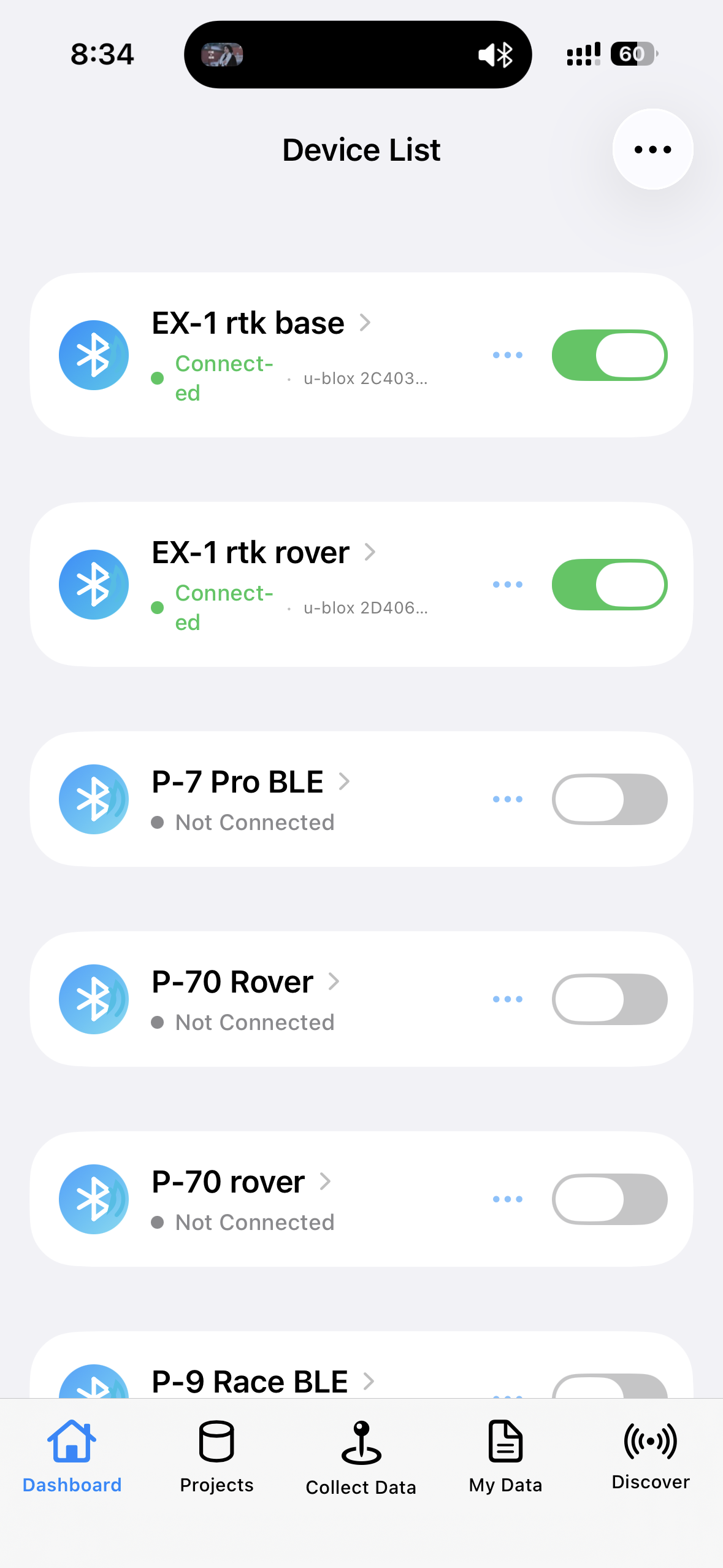
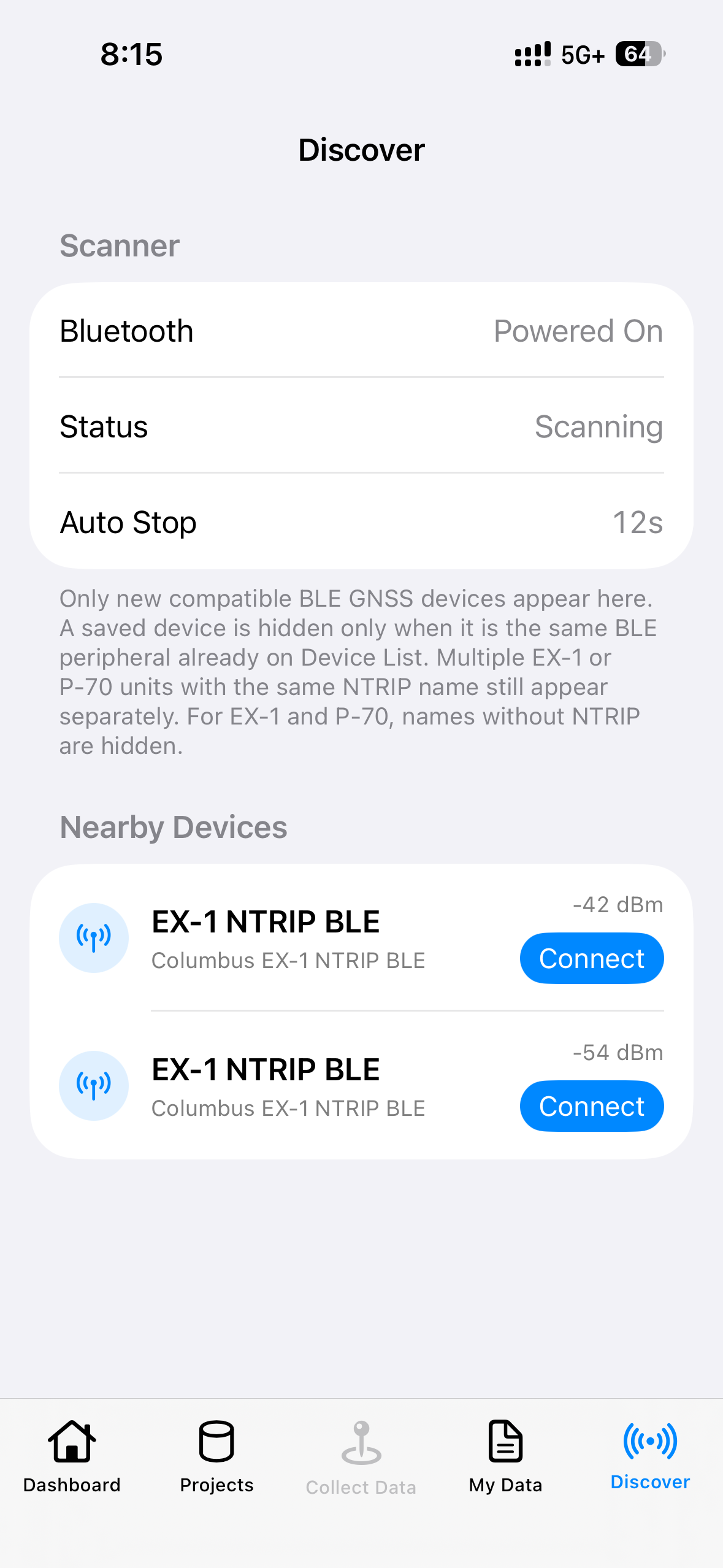
Discover a supported BLE receiver, save it to the Device List and connect without treating the receiver as a replacement for the iOS location system.
- Scan for nearby compatible receivers
- Save and manage receiver entries
- Read receiver-supplied NMEA and positioning status
- Automatically reconnect after an unexpected Bluetooth interruption
See the Data That Matters
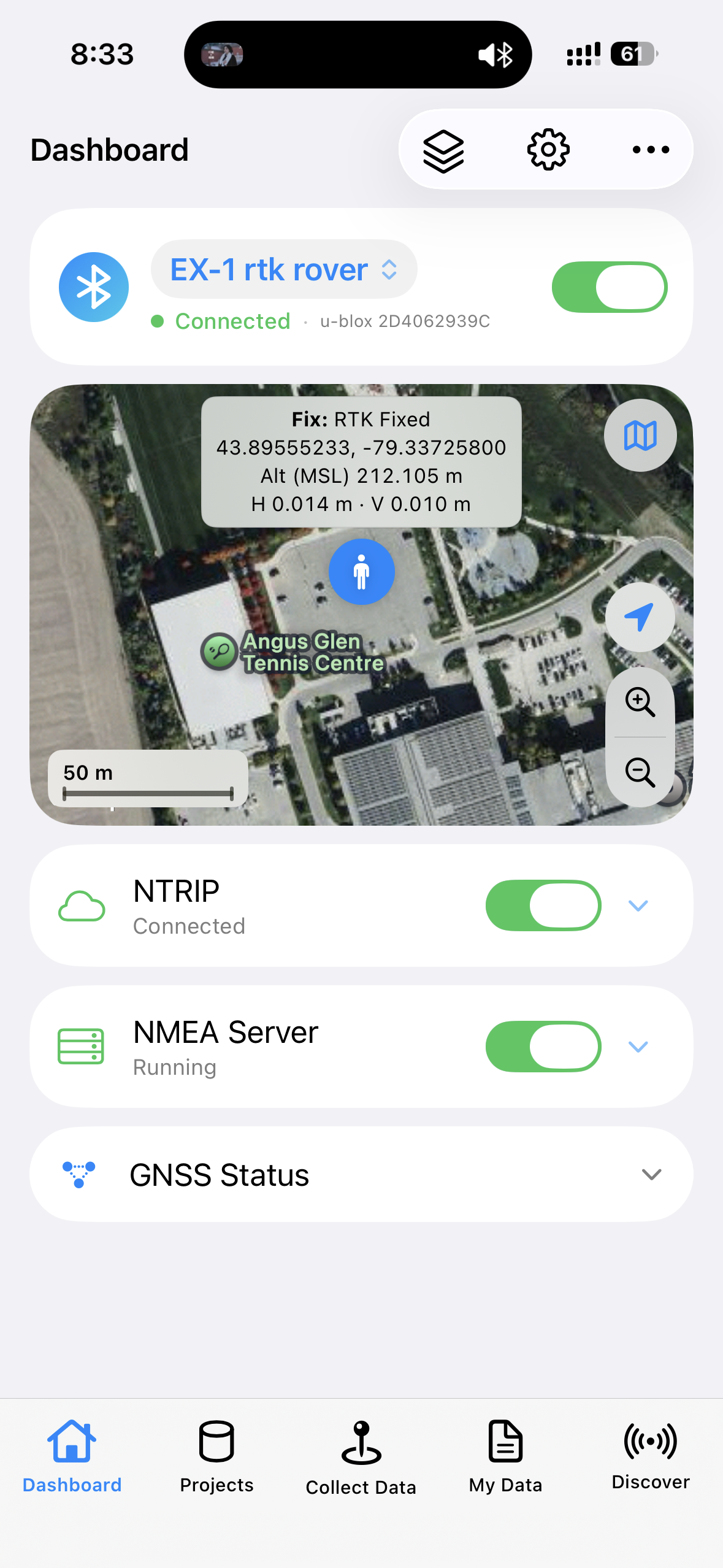
The live Dashboard brings receiver information into one clear iOS view for field monitoring.
- Fix status, coordinates and altitude
- Satellites, HDOP/VDOP and available hAcc/vAcc
- Speed, heading, message counters and map position
- GNSS and NTRIP logs for connection visibility
Share Receiver NMEA with Other iOS Apps
Extend the value of your compatible GNSS receiver to field apps that support NMEA over a local TCP or UDP connection.
A Local NMEA Server on the Same iPhone or iPad
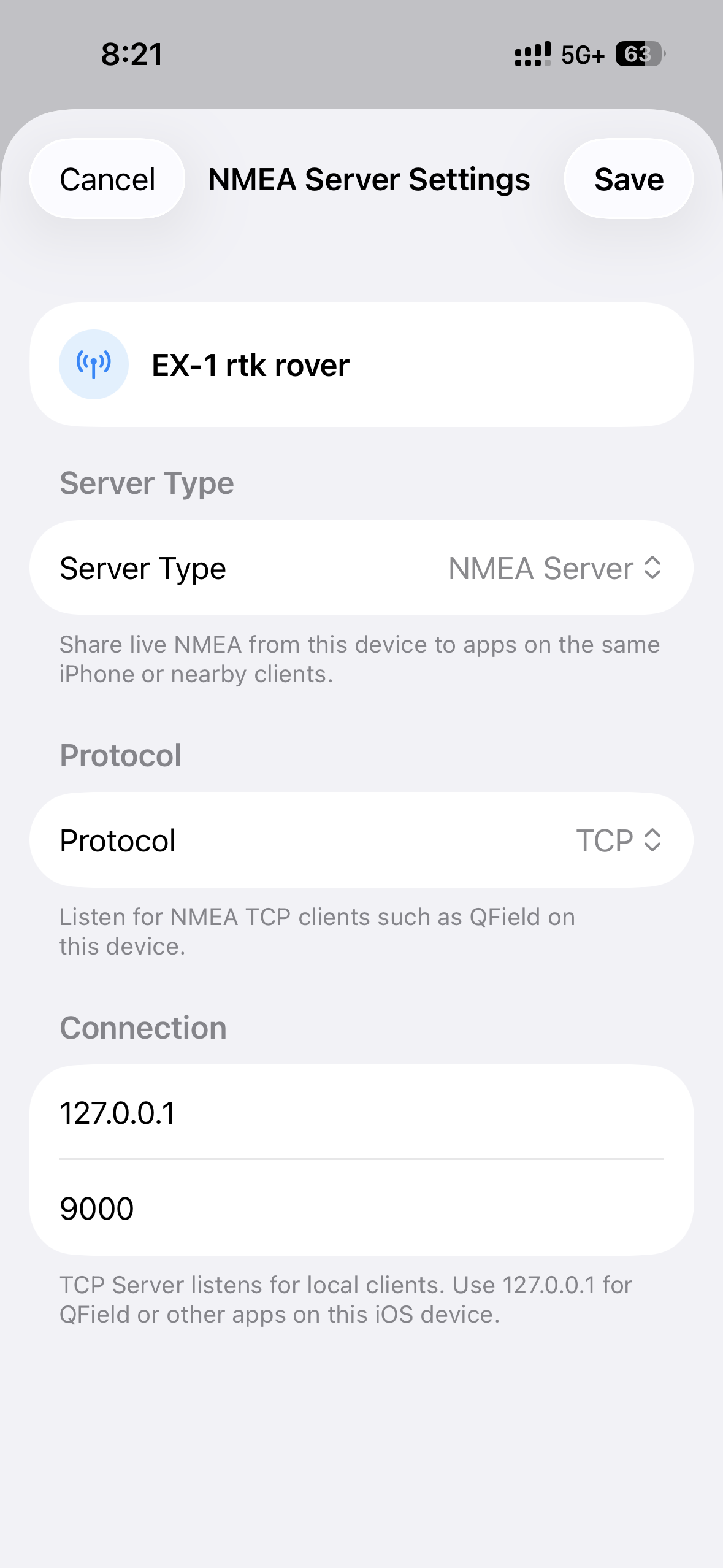
After GeoAstra BLE-GNSS receives NMEA over Bluetooth, it can make that stream available to another compatible app on the same iOS device. A typical TCP setup uses 127.0.0.1 and port 9000.
Designed for compatible field apps
- QField
- ArcGIS Survey123
- ArcGIS QuickCapture
- Other apps with documented TCP/UDP NMEA input
Clear technical boundaries
- Local port sharing, not an internet cloud caster
- Not system-wide iOS location injection
- The receiving app must support network NMEA input
- Actual setup depends on the third-party app
Use GeoAstra BLE-GNSS as the connection point between a supported receiver and a wider iOS field-app workflow.
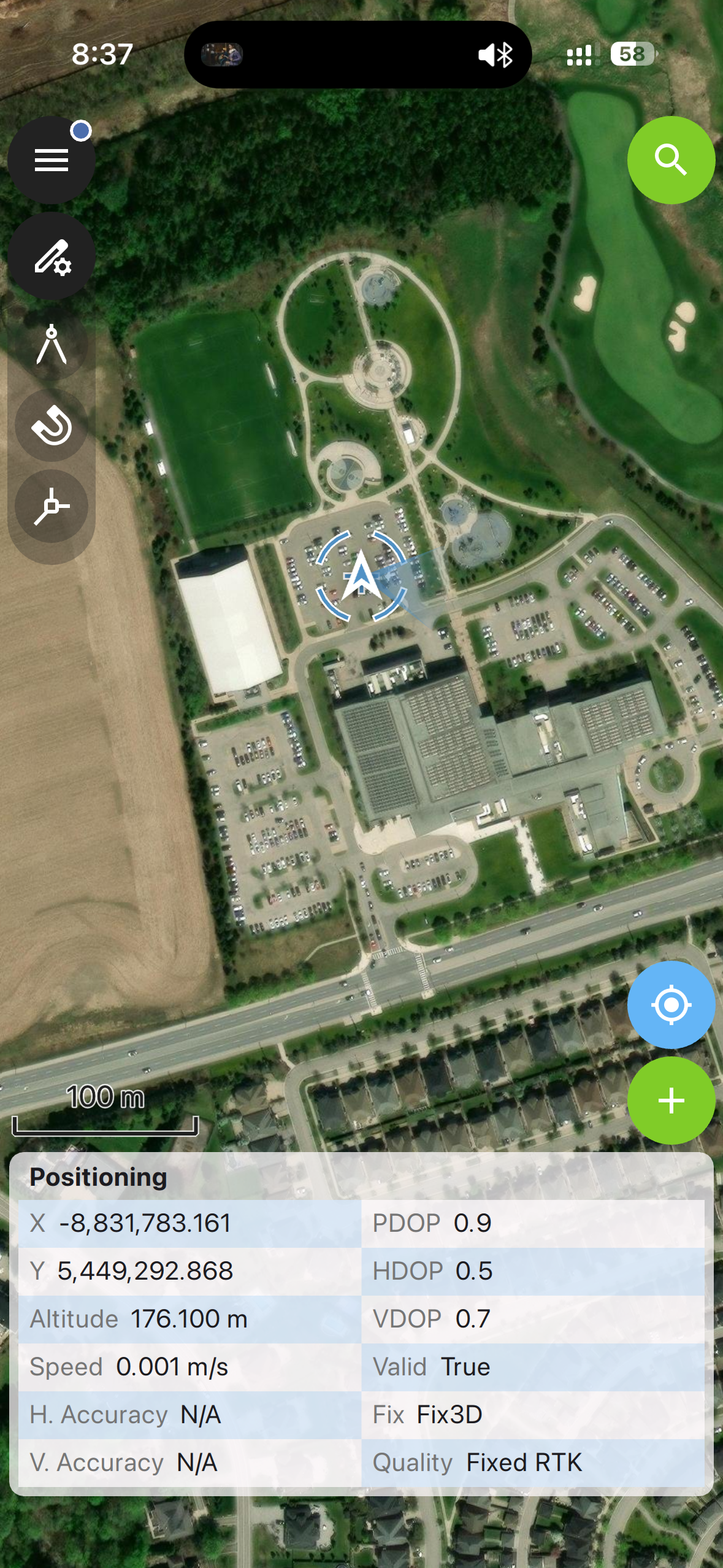
A Complete Field Workflow in One App
Third-party NMEA sharing is optional. GeoAstra BLE-GNSS includes its own practical tools for collecting, managing and delivering field data.
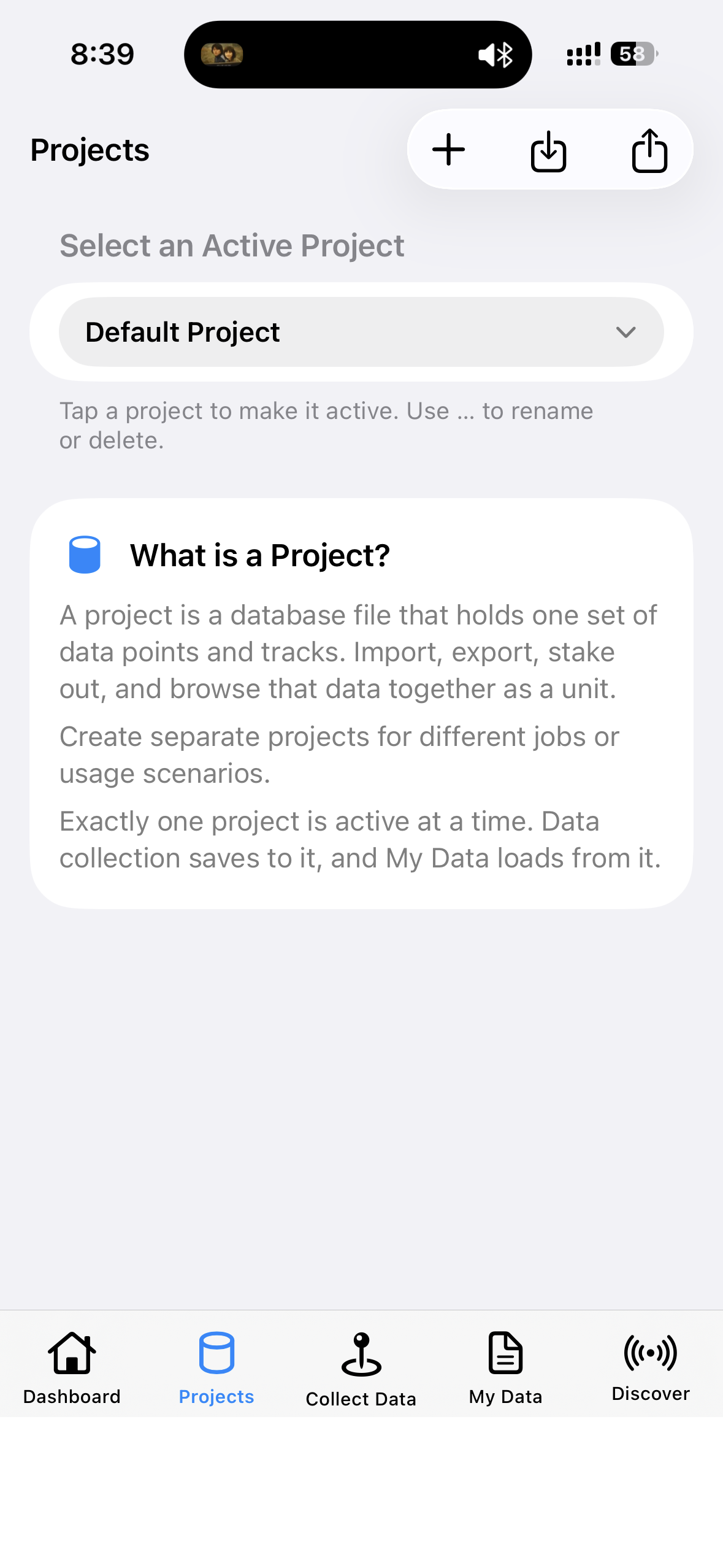
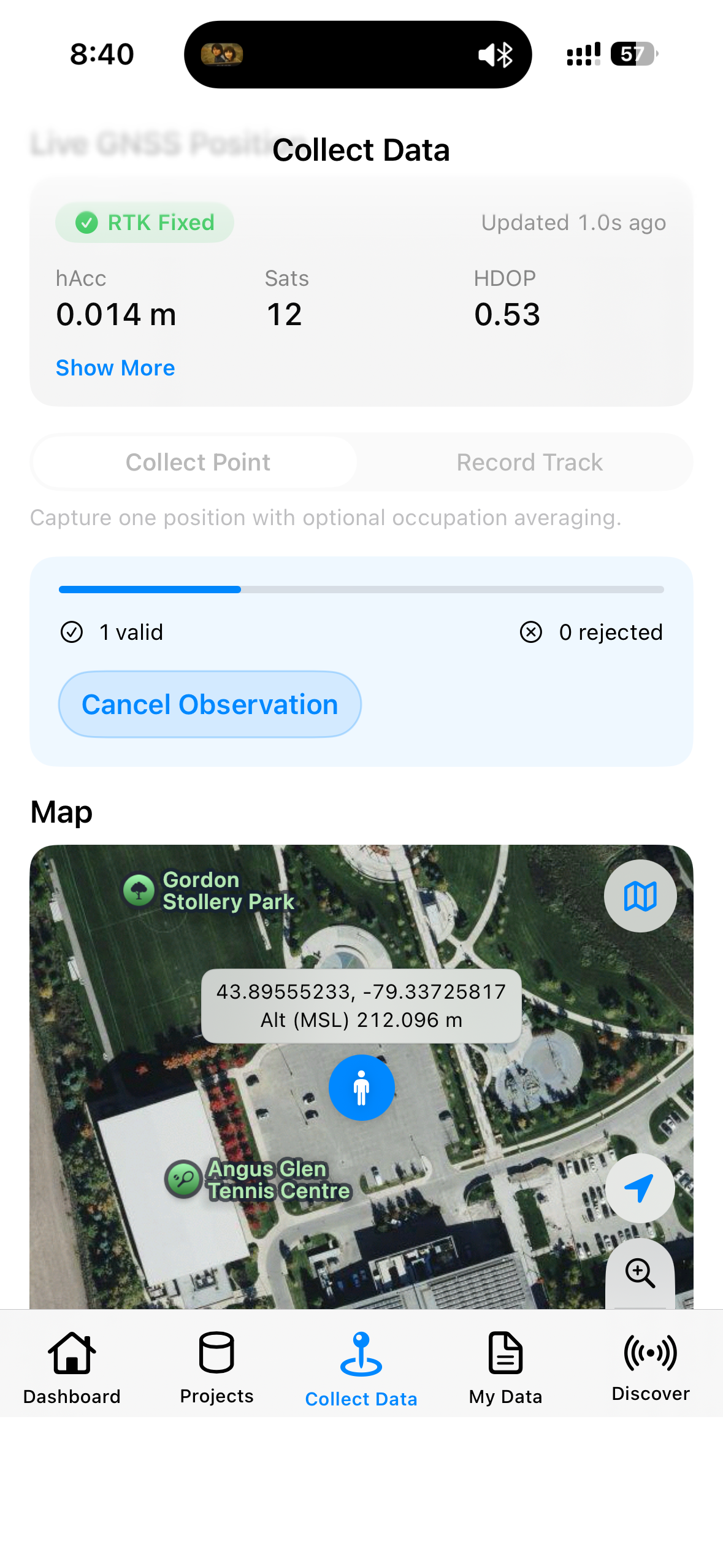
Projects and Point Collection
- Create and activate local projects
- Collect survey points with occupation averaging
- View live receiver position and map context
- Recover an interrupted collection with Finalize or Discard options
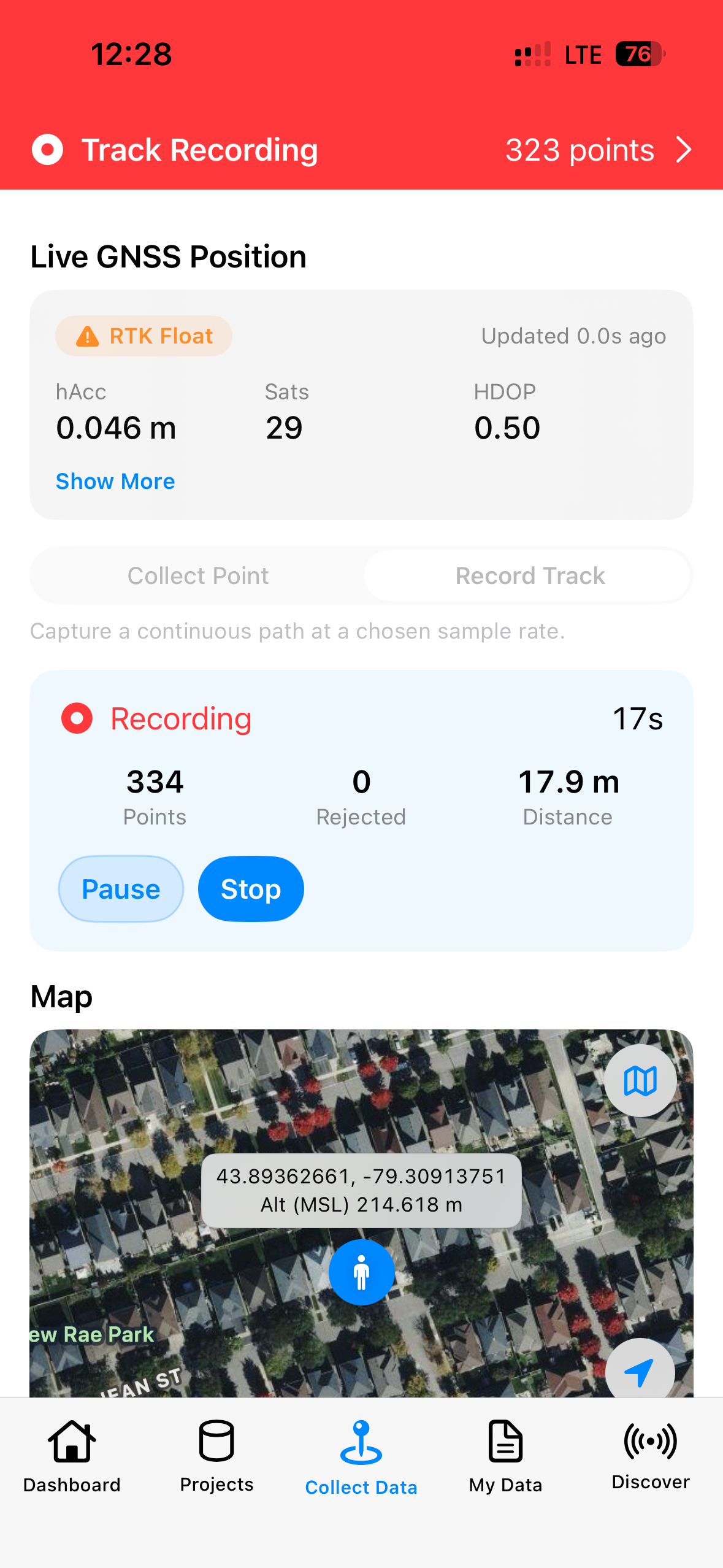
Track Recording
- Record tracks from the connected receiver stream
- Choose Raw Update Rate or time-based logging intervals
- Review recorded and rejected sample counts
- Keep collection data organized under the active project
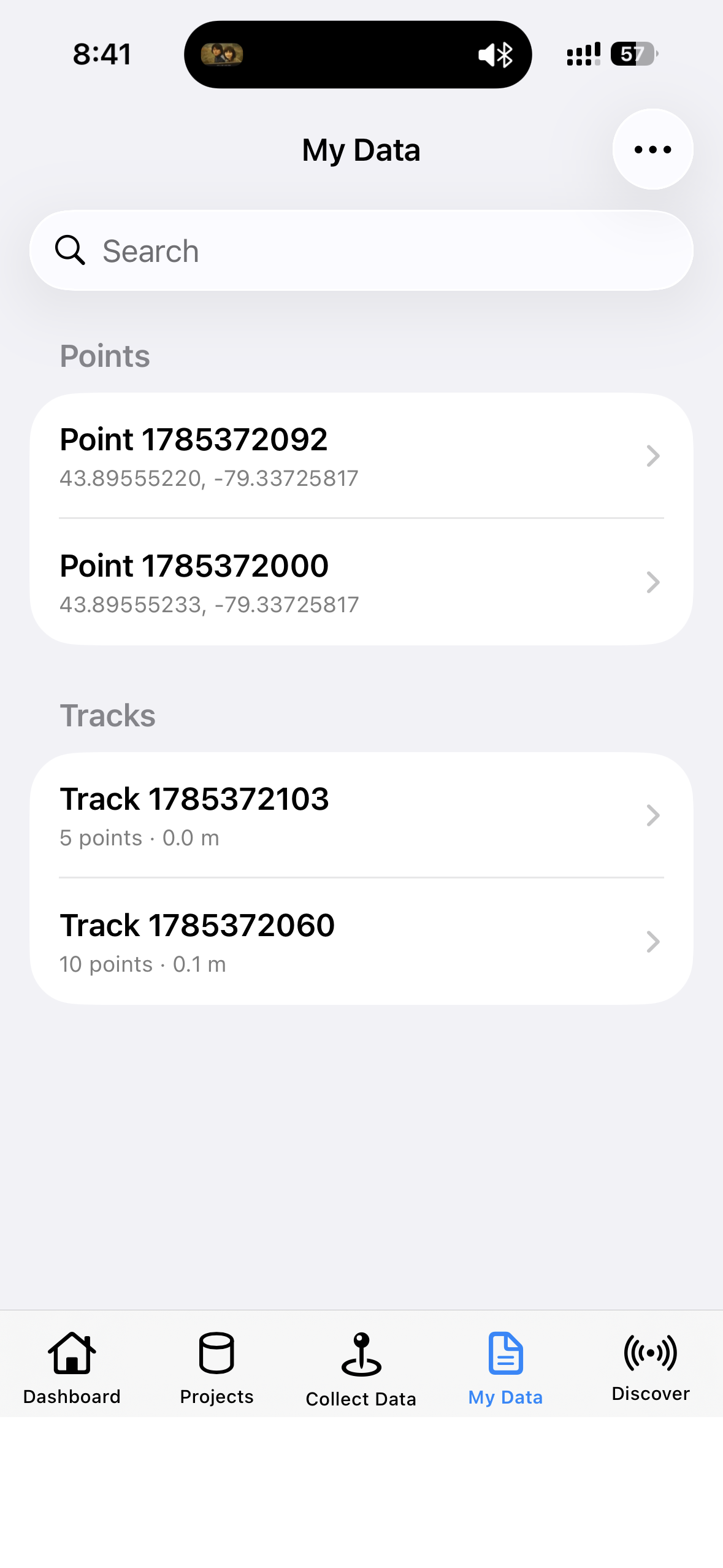
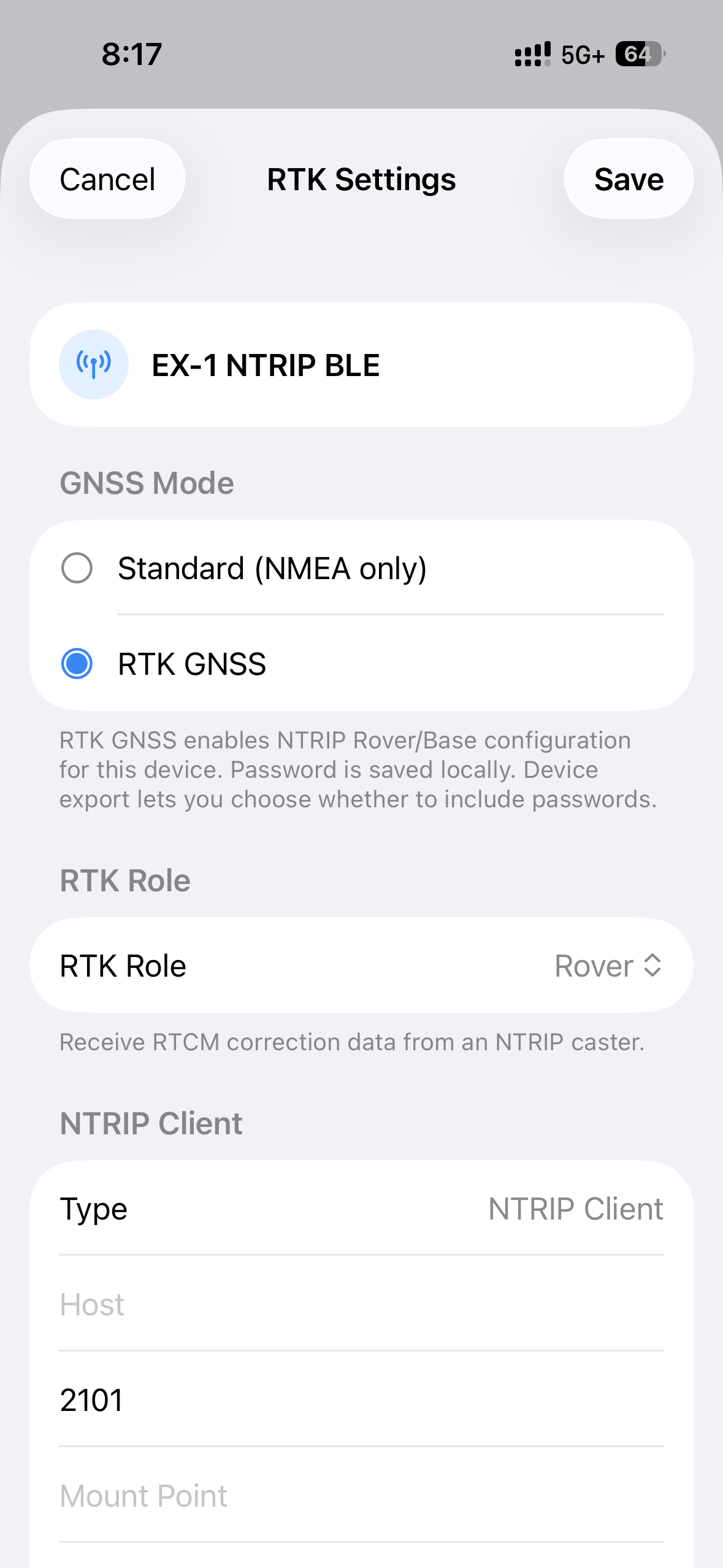
RTK Rover and Base Workflows
RTK features are available only with supported RTK receivers such as EX-1 and P-70 Ultra, and require the appropriate NTRIP caster, correction source and network connection.
RTK Rover
Configure a compatible receiver to obtain RTCM corrections from a CORS or NTRIP caster and monitor Float or Fixed status from the Dashboard.
- Enter caster host, port, mount point and credentials
- Send received RTCM corrections to supported receiver hardware
- Monitor correction and positioning status
RTK Base
Use supported receiver-specific Base workflows and upload generated RTCM to a configured caster.
- EX-1 Survey-in or fixed-coordinate workflow
- P-70 receiver-managed Survey-in or fixed coordinates
- NTRIP Server reconnection after qualifying unexpected connection loss
Positioning accuracy depends on the connected receiver, antenna, correction source, baseline, environment and configuration. No accuracy level is guaranteed by the app alone.
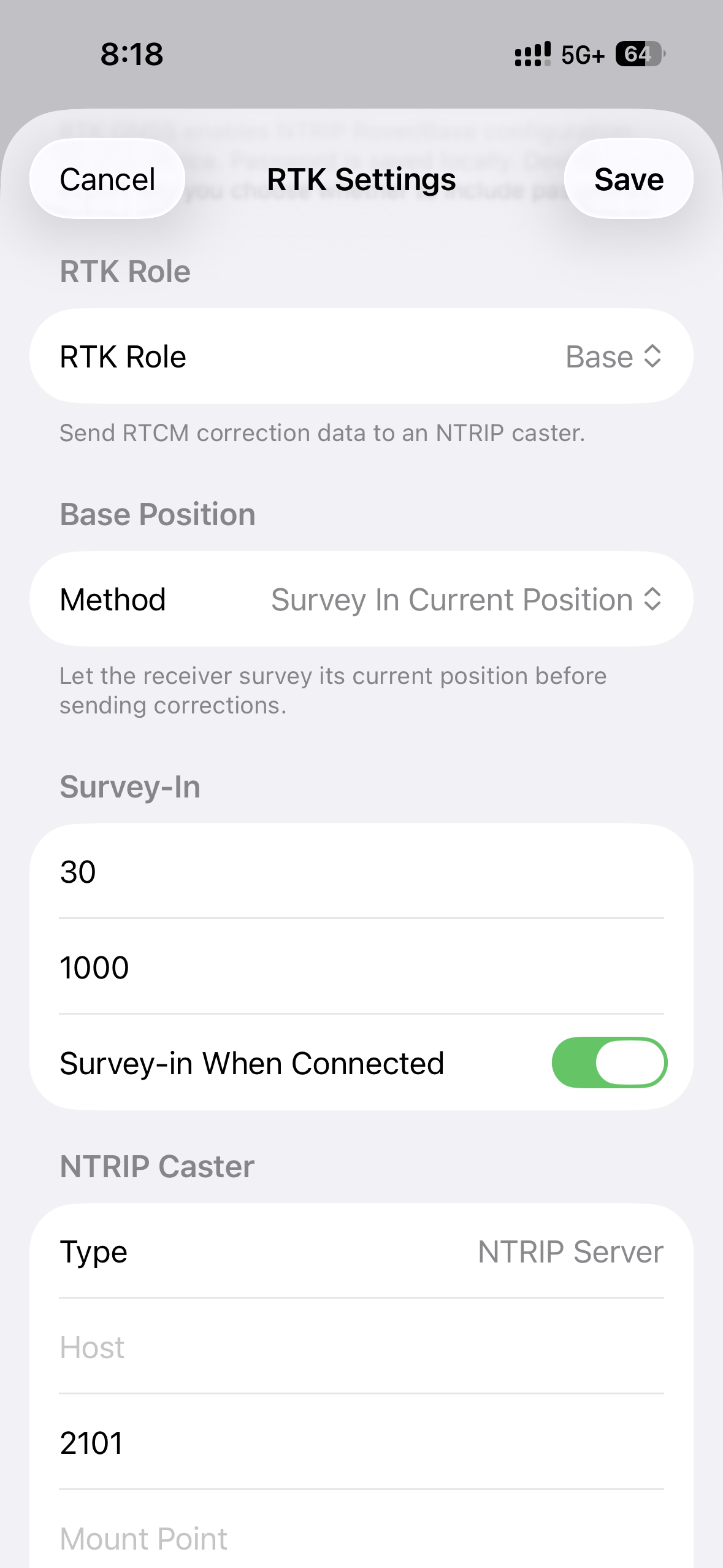
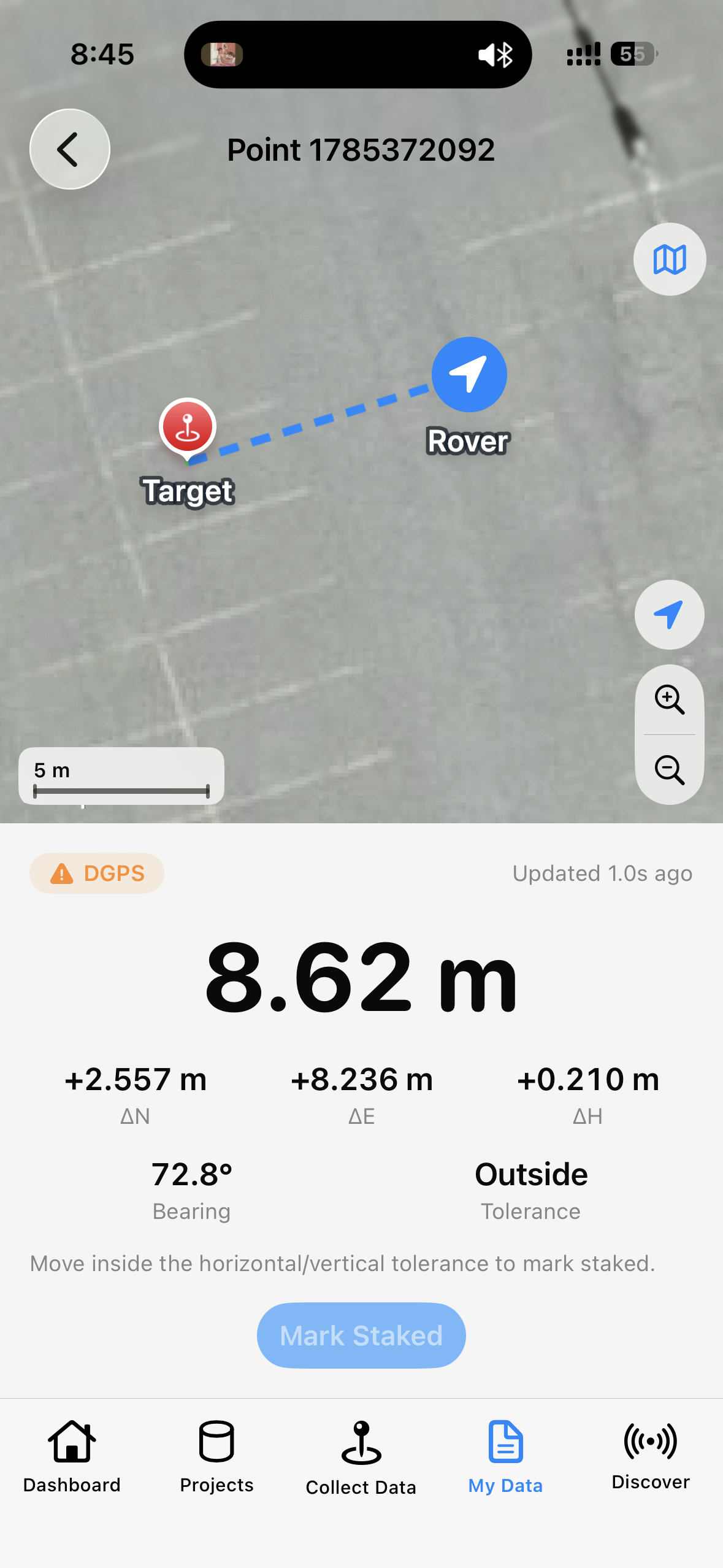
Review, Playback, Stakeout and Export
Review and Return to the Field
- Browse point and track details in My Data
- Play tracks in 2D, 3D or Altitude 3D views
- Import stakeout targets from supported file formats
- Navigate with north, east and height offsets using a connected Rover
Export and Share
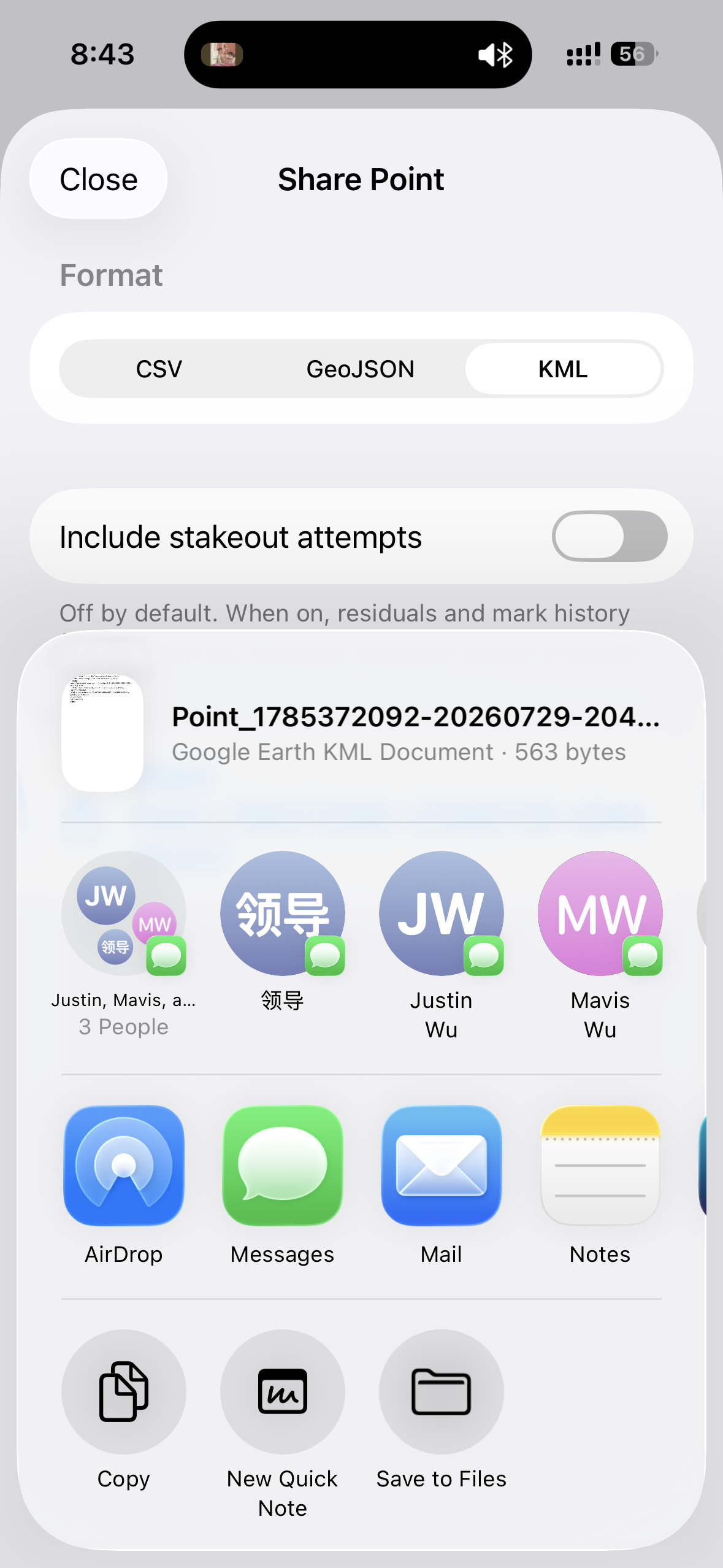
- Export selections as CSV, GeoJSON, KML or GPX where applicable
- Export a complete project as GeoPackage
- Use the standard iOS Share Sheet to hand files to other apps
- Keep an unrounded project backup through GeoPackage export
Compatible Receivers and App Capabilities
Use the capability summary below to choose the correct app workflow for each supported receiver. Features available on one model should not be assumed on another.
| Receiver | Main App Capabilities | Model-Specific Notes |
|---|---|---|
| Columbus EX-1 RTK GNSS |
Live GNSS, data collection, NMEA Server, RTK Rover/Base, Survey-in and fixed coordinates | Supports temporary or permanent receiver configuration. The app does not provide Output Rate control for EX-1. |
| Columbus P-70 Ultra RTK GNSS |
Live GNSS, data collection, NMEA Server, RTK Rover/Base, receiver-managed Survey-in, fixed coordinates and 1/5/10/20 Hz Output Rate selection | Connect to the NTRIP BLE advertisement for the full RTK workflow. |
| Columbus P-9 Race GNSS |
Live GNSS, data collection, NMEA Server and 1/5/10/25 Hz Output Rate selection | No in-app NTRIP Rover or Base workflow. |
| Columbus P-7 Pro GNSS |
Live GNSS, data collection and NMEA Server | No in-app NTRIP Rover/Base or Output Rate write control. |
App Information and Requirements
GeoAstra BLE-GNSS
| Platform | iPhone and iPad |
| Operating System | iOS 17.0 or later / iPadOS 17.0 or later |
| App Store Price | Free |
| GPSWebShop Listing Price | $0.01 for website listing purposes only; no website purchase is required |
| Language | English |
| Category | Utilities |
| Seller | GPSWebShop Canada Inc. |
| Bluetooth | Required to connect a compatible receiver |
| Local Network | Permission may be required when using the local NMEA Server |
| Internet Access | Required for NTRIP Rover/Base and online caster workflows |
| Required Hardware | A compatible BLE GNSS receiver listed in the current compatibility table |
| Privacy Listing | The current Apple App Store listing states “Data Not Collected” |
